

Sorting & Filtering
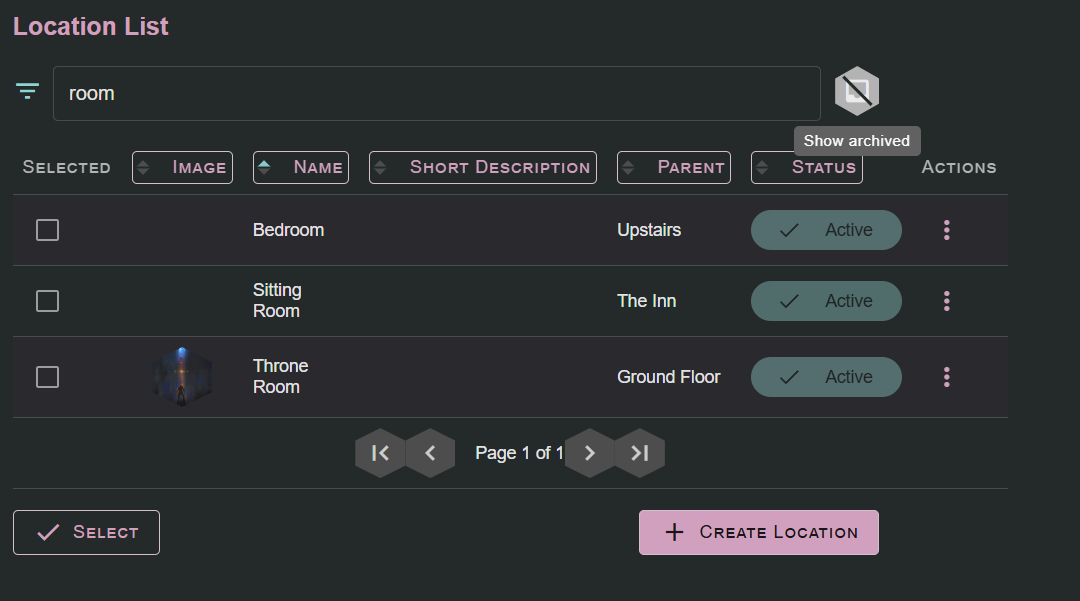
When you first start your campaign, it’ll be small, neat, and easy to keep track of. Then as the weeks turn into months or even into years, it can quickly become its own monster, as you have to spend time searching through piles of defeated villains, unused characters, or even through campaigns that just never got off the ground. Lore Link will provide you the tools to be able to quickly sort through all the detritus and debris of a long running campaign… Campaigns can be archived, sorted by status, and even re-organized to put the campaigns you use at the front of the list. All other lists in Lore Link will let you quickly sort by individual columns, as well as filter by text in those columns. Rather than having to de-clutter your lists by deleting elements, instead mark completed elements (like a defeated villain) as archived so they will no longer appear in lists throughout the system by default. This way, if you decide to have that villain make a miraculous recovery later, all of their information will still be available for you to use in your campaign, and you can simply un-archive them and they’ll be back into the fight.